

Smart Thermostats Installation in Pasadena, MD
For smart thermostat installation in Pasadena, MD, Tario HVAC provides a comprehensive service that includes professional installation, exploring various options, and thorough equipment compatibility checks. We ensure seamless app integration, optimal scheduling, and activation of all energy-saving features, along along with robust troubleshooting and ongoing support. We help you identify compatible brands and model considerations, discuss warranty and maintenance needs, and show you how to truly maximize comfort in humid coastal climates. Our emphasis is on a thorough site assessment, carefully outlining wiring needs, addressing C-wire concerns, and understanding your specific system types to ensure reliable performance and seamless, remote control of your home climate.
.webp)
Smart Thermostats Installation in Pasadena, MD
Smart thermostats are one of the most effective upgrades you can make to improve comfort and lower energy use in Pasadena, MD homes. With humid summers and cold winters, a properly configured smart thermostat can optimize heating, cooling, and humidity control to keep your household comfortable while reducing wasted runtime. This page explains your options, the professional installation process, compatibility checks with existing HVAC equipment, app integration and scheduling, troubleshooting and support, compatible brands, warranty considerations, and common FAQs for Pasadena residents.
Why upgrade to a smart thermostat in Pasadena, MD
- Better climate control for seasonal extremes: Smart thermostats adapt to both hot, humid summers and chilly winters common in the region, coordinating HVAC cycles and fan control for consistent comfort.
- Humidity and dehumidification management: Many smart units support dehumidification schedules or integrate with whole-home dehumidifiers to address the region’s humid conditions.
- Energy savings and efficiency: By using occupancy sensing, adaptive learning, and optimized scheduling, smart thermostats cut unnecessary runtime, which matters in homes with higher cooling loads.
- Remote access and diagnostics: Control and monitor your HVAC remotely via apps—handy for weekenders or second homes near the Chesapeake corridor.
Common smart thermostat types and benefits
- Learning thermostats: Automatically develop schedules based on your routines for hands-off efficiency.
- Wi‑Fi connected programmable thermostats: Provide remote control, geofencing, and energy reports without advanced learning algorithms.
- Zoned system controllers: Manage multiple zones independently in larger Pasadena homes with split systems or multiple thermostats.
- Heat pump compatible models: Designed specifically to handle reversing valves, auxiliary heat, and defrost cycles on heat pumps common in local HVAC setups.
Benefits summarized:
- Improved comfort through precise temperature staging and fan control
- Lower energy waste during unoccupied periods
- Remote monitoring and alerts for faults or irregular system behavior
- Better integration with home automation and energy reporting
Site assessment and compatibility checks
A professional installation begins with a thorough site assessment in your Pasadena home. Key checks include:
- HVAC control voltage: Most smart thermostats require a 24V control system. Older line-voltage (120/240V) systems and some electric baseboard heaters are not directly compatible.
- C‑wire presence: Verify whether a common (C) wire exists to supply continuous power. If absent, solutions include using a C-wire adapter, installing a new C wire from the furnace/air handler, or using specific models engineered to work without a C-wire.
- System type and stages: Confirm single-stage vs multi-stage heating/cooling, presence of a heat pump, dual-fuel setups (furnace + heat pump), or zoning systems that require specialized controllers.
- External equipment: Note compatibility with whole-home humidifiers, dehumidifiers, and variable-speed air handlers so those functions can be integrated or avoided if unsupported.
- Wi‑Fi coverage: Check signal strength at the thermostat location; weak signals require improvements such as a mesh extender or moving the thermostat to a better location if feasible.
A detailed site assessment prevents surprises during installation and ensures the selected smart thermostat will perform as expected in your local climate conditions.
Professional installation steps
- Power-down and safety checks: Turn off HVAC power at the breaker and at the furnace/air handler before any wiring work begins.
- Existing thermostat removal and wiring inspection: Label and photograph wires to map connections and identify the C wire and other control leads.
- Mounting and wall preparation: Install the new thermostat backplate; repair any wall damage, set a level mount, and ensure proper placement away from direct sunlight or drafts.
- Wiring and adapters: Connect control wires to the correct terminals; install a C-wire adapter or run a new C wire when needed; configure for heat pump or multi-stage systems when applicable.
- Power restore and device activation: Restore power to the HVAC and thermostat; the device will initialize and run diagnostics.
- Wi‑Fi setup and firmware update: Securely connect the thermostat to your home network and update to the latest firmware for reliability and security.
- System configuration and testing: Set system type, stage settings, fan behavior, and safety limits; run heating and cooling cycles to verify correct operation and sensor accuracy.
- App pairing and account setup: Link the thermostat to its mobile app, sign in for remote access, and configure user preferences and notifications.
App integration and energy-saving scheduling
- Remote control and monitoring: Use the app to change setpoints, check indoor temperatures, and receive system alerts.
- Smart schedules and learning: Choose adaptive schedules that learn occupancy patterns or set fixed temperature programs tailored to your daily routine.
- Geofencing and presence detection: Automatically switch to energy-saving modes when no one is home and resume comfort settings on return.
- Temperature and humidity coordination: Set rules for when dehumidification or whole-home humidifiers should run to balance comfort and system efficiency.
- Energy reporting: Review runtime and estimated energy impacts to fine-tune schedules and identify opportunities for savings.
Troubleshooting and ongoing support
Common issues and straightforward fixes:
- No power after install: Often a missing or loose C wire—check wiring and breaker; verify the furnace control board.
- Wi‑Fi dropouts: Improve router placement or add a mesh extender; ensure thermostat firmware is up to date.
- Incorrect temperatures: Recalibrate sensors or verify thermostat placement away from heat sources and drafts.
- Compatibility alerts: Revisit system type and staged settings; some heat pumps require specific wiring or configuration tweaks.
Ongoing support typically includes help with app updates, firmware management, and seasonal checkups to verify system performance through temperature extremes in Pasadena.
Compatible brands and models
Smart thermostat compatibility varies; commonly recommended brands with broad support include:
- Google Nest (Learning Thermostat, Nest Thermostat)
- ecobee (ecobee Smart Thermostat with voice control)
- Honeywell Home / Resideo (programmable and Wi‑Fi models)
- Emerson Sensi (user-friendly Wi‑Fi models)
- Lux / Honeywell Lyric (select models for zoning and heat pump support)
When choosing a model, confirm compatibility with your specific furnace, air handler, heat pump, or zoning control board identified during the assessment.
Warranty and maintenance considerations
- Manufacturer warranty: Most smart thermostats include a limited warranty covering defects—typically one to three years depending on brand.
- Installer labor warranty: Professional installations often include a limited labor warranty covering wiring and setup for a defined period.
- Ongoing maintenance: Annual HVAC tune-ups help ensure the thermostat’s schedules align with efficient system performance and prolong equipment life—especially important in humid coastal-adjacent climates.
Frequently asked questions
Q: Will a smart thermostat work with my heat pump?
A: Many models are heat pump compatible, but correct wiring and settings are essential. A professional compatibility check will verify support for reversing valves and auxiliary heat.
Q: What if I don’t have a C wire?
A: Options include using a C-wire adapter, installing a new C wire at the air handler, or selecting a thermostat that can operate reliably without a C wire.
Q: Can a smart thermostat control multiple zones?
A: It depends—zoned systems usually require either multiple smart thermostats or a compatible zone controller that integrates with smart devices.
Q: Will installing a smart thermostat save money in Pasadena?
A: Smart thermostats can reduce wasted HVAC runtime and optimize comfort, especially with seasonal schedules and remote management; savings vary based on usage patterns.
Q: Are smart thermostats secure?
A: Reputable brands use encryption and regular firmware updates. Proper Wi‑Fi security and keeping firmware current are important for maintaining device security.
Upgrading to a professionally installed smart thermostat ensures compatibility, reliable Wi‑Fi integration, and optimized scheduling tuned to Pasadena, MD climate needs. A careful site assessment and expert setup deliver consistent comfort, efficient operation, and peace of mind during both humid summers and cold snaps.

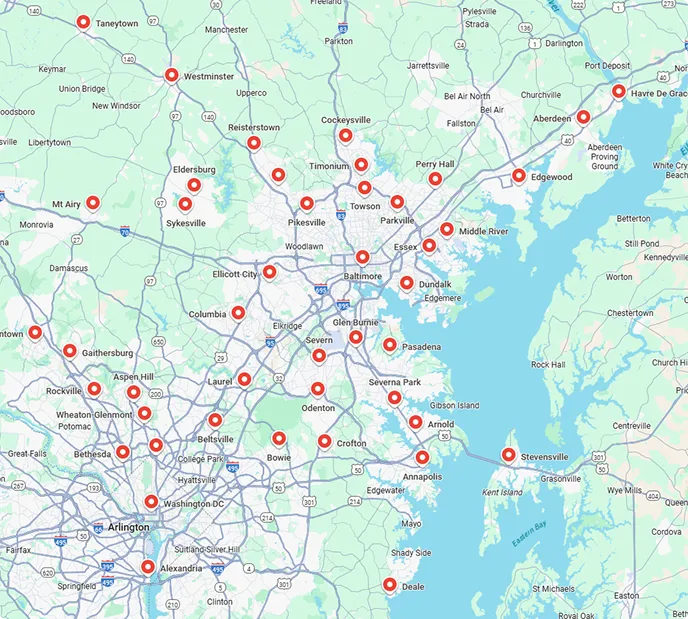
Service areas