

Smart Thermostats Installation in Pikesville, MD
At Tario HVAC, our Smart Thermostat Installation in Pikesville, MD, focuses on how modern thermostats can truly reduce energy waste, significantly enhance home comfort, and enable convenient remote control through reliable setup and integrations. We conduct thorough compatibility checks, address C-wire needs, and perform a detailed, step-by-step installation with our trained technicians to ensure proper wiring and safe operation. We’ll also guide you through ongoing app configuration, explain energy reporting features, and ensure seamless compatibility with Google, Alexa, and Apple HomeKit. Plus, we offer valuable maintenance tips and discuss warranty considerations to sustain long-term performance. Tario HVAC prides itself on professional expertise and a user-friendly setup for every homeowner.
.webp)
Smart Thermostats Installation in Pikesville, MD
Smart thermostats are one of the fastest ways Pikesville homeowners can cut energy waste, gain remote control, and get the most from their heating and cooling systems. In Pikesville’s humid summers and cold winters, a properly installed smart thermostat reduces run time, improves comfort, and helps protect equipment by optimizing cycles. This page explains what to expect from a professional smart thermostats installation in Pikesville, MD — from compatibility checks and C‑wire requirements to setup, integrations, warranty, and post‑installation support.
Why upgrade to a smart thermostat in Pikesville homes
- Save energy year‑round: smart scheduling, learning modes, and geofencing reduce unnecessary heating and cooling during shoulder seasons and extreme weather.
- Remote control and monitoring: check and change settings from anywhere, ideal for second homes or busy Baltimore-area commutes.
- Improved comfort and equipment longevity: accurate scheduling and adaptive control reduce short-cycling and excessive runtime on older furnaces and A/C units.
- Integration with smart home ecosystems: voice control and automation with Google Assistant, Amazon Alexa, and Apple HomeKit for hands‑free convenience.
Common smart thermostat issues in Pikesville and why professional assessment matters
- Missing or inadequate C‑wire (common in older homes): can prevent many smart thermostats from powering reliably.
- Incompatible or multi-stage HVAC wiring: heat pumps, conventional furnaces, or homes with dual fuel systems require specific wiring and configuration.
- Wi‑Fi connectivity challenges inside brick or stone homes: signal strength can affect remote features and scheduling reliability.
- Unlabeled or nonstandard wiring at the furnace/air handler: miswiring during DIY installs can damage controls or the HVAC system.
Assessment and compatibility check (what a pro will do)
A professional installation begins with a thorough compatibility and wiring inspection:
- Visual inspection at the thermostat and furnace/air handler to identify wire colors and terminal labels.
- Confirm system type: single-stage, multi-stage, heat pump, dual fuel, or zoned system.
- Check for a dedicated 24VAC common wire (C‑wire). If absent, the technician will recommend options: using an existing unused conductor, installing a new C‑wire, or fitting a reliable power adapter designed for smart thermostats.
- Evaluate Wi‑Fi coverage where the thermostat will be located and advise on signal improvements if needed.
- Determine whether the selected thermostat model supports your preferred integrations (Google, Alexa, Apple HomeKit) and any additional accessories like remote sensors.
Professional installation and setup: step‑by‑step
A certified technician follows a predictable, safe workflow to minimize downtime and protect your HVAC system:
- Power off HVAC at the breaker to protect electronics.
- Remove the old thermostat and document each wire with photos or labels.
- Mount the new thermostat plate—ensure level placement and conceal wiring neatly for a finished look.
- Connect wiring to the correct terminals; install a C‑wire adapter or run a new conductor if required.
- Restore power and perform initial power verification to confirm stable 24VAC supply.
- Follow the thermostat’s on‑screen or technician app setup to configure equipment type, stages, and emergency heat settings for heat pumps.
- Connect the device to your home Wi‑Fi and test remote app control.
- Configure schedules, learning preferences, and energy‑saving features; if requested, pair with Google Assistant, Amazon Alexa, or Apple HomeKit.
- Run a final system test: call for heat and cool, verify correct fan control, and check for short cycling or unusual behavior.
- Leave a basic usage walkthrough and documentation (wiring diagram and firmware version) for your records.
App configuration and integrations
Smart thermostats offer flexible app controls and automation:
- Scheduling: set weekday/weekend or custom schedules, or enable learning modes that adapt to your routine.
- Geofencing: automatically adjust when you leave Pikesville and return, balancing comfort with savings.
- Remote sensors: place in bedrooms or rooms that tend to be warmer or cooler to balance whole‑home comfort.
- Voice and smart home integration: most major models support Google Assistant and Amazon Alexa natively. Apple HomeKit support varies by model; some require a HomeKit‑compatible device or bridge.
- Energy reporting: access monthly usage reports and tips to further reduce consumption, useful during hot summers and cold snaps.
Energy savings and performance specific to Pikesville, MD
Pikesville’s climate features humid summers and cold winters, so efficient control of both cooling and heating is essential:
- Cooling savings are realized by reducing run time during peak heat and humidity and using adaptive recovery to reach comfort efficiently.
- Heating efficiency is improved by avoiding excessive setbacks that force long recovery cycles in winter.
- Smart scheduling and zone sensor use help avoid heating or cooling unused rooms—important in older Pikesville homes with varied occupancy patterns.
Warranty and post‑installation support
- Manufacturer warranties typically cover the thermostat hardware and defects; terms vary by brand, commonly 1 to 3 years. Keep manufacturer documentation and registered product details for warranty claims.
- Professional installations often include a workmanship guarantee covering correct wiring and configuration for a specified period. Save any installation notes and wiring photos for future reference.
- Post‑install support should include basic troubleshooting help: checking C‑wire connections, forcing device reboots, guiding router reconfiguration, or helping with firmware updates.
Troubleshooting: common issues and quick fixes
- Thermostat won’t power on: verify breaker and furnace switch, then check the C‑wire voltage. A power accessory or new C‑wire may be required.
- Wi‑Fi or remote control not working: restart router, ensure 2.4 GHz vs 5 GHz compatibility per model, and verify signal strength at the thermostat location.
- Inaccurate temperatures: check placement (avoid direct sunlight or drafts) and consider using remote sensors for more accurate whole‑home readings.
- HVAC short cycling or incorrect behavior after install: recheck wiring labels and system configuration (stage settings and heat pump swap), and revert power before reconfiguring if needed.
Maintenance and long‑term tips
- Keep thermostat firmware up to date to receive performance improvements and security patches.
- Replace HVAC air filters regularly and schedule seasonal tune‑ups to ensure system responsiveness and longevity.
- Revisit scheduling after seasonal transitions to align with different Pikesville weather patterns.
- Periodically review energy reports to identify additional savings opportunities, such as minor thermostat adjustments or zoning changes.
Why professional installation matters: accurate compatibility checks, correct wiring (especially C‑wire handling), safe handling of HVAC electronics, and tailored configuration for your Pikesville home and lifestyle ensure your smart thermostat delivers consistent comfort, reliable remote features, and the energy savings you expect.

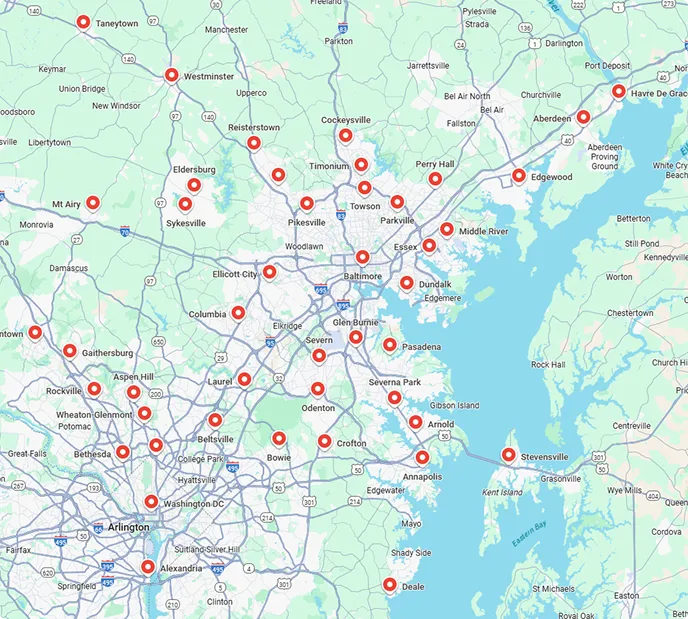
Service areas