

Smart Thermostats Installation in Edgewood, MD
Edgewood, MD homes can simplify energy management through professional smart thermostat installation by Tario HVAC. We cover goal assessment, compatibility checks, equipment types, and integration with heat pumps, zoning, and WiFi networks. Tario HVAC outlines the step-by-step installation process, from wiring verification to mounting, network setup, and firmware updates, plus testing for proper staging and temperature sensing. We also address remote access, troubleshooting, occupant training, warranties, maintenance, and long-term value for comfort and efficiency. Tario HVAC serves as a practical reference for homeowners and technicians.
.webp)
Smart Thermostats Installation in Edgewood, MD
Smart thermostats installation in Edgewood, MD brings modern control, comfort, and energy savings to homes that face hot, humid summers and chilly winters. For homeowners dealing with uneven heating, rising utility bills, or the hassle of manual scheduling, a properly assessed and professionally installed smart thermostat can stabilize comfort, reduce HVAC runtime, and enable remote control from anywhere.
Common smart thermostat installations in Edgewood, MD
Smart thermostat projects vary by home age, HVAC equipment, and homeowner goals. Typical installations include:
- Replacing standard programmable thermostats with Wi‑Fi smart thermostats (Google Nest, Ecobee, Honeywell, Emerson and similar models).
- Integrating with single-stage or multi-stage furnaces and air conditioners.
- Installing thermostats compatible with heat pumps and dual-fuel systems common in mid-Atlantic homes.
- Adding a smart thermostat to zoned HVAC systems or multi-thermostat setups.
- Upgrading older systems that lack a C-wire using adapters, power extenders, or by running a new common wire.
Edgewood homes often face humidity-driven comfort issues and variable seasonal loads; choosing a model that handles heat pump control, dehumidification schedules, and multi-stage equipment is important.
Assessing your goals and compatibility
A successful smart thermostat installation begins with a focused assessment:
- Identify homeowner goals: energy savings, remote access, vacation scheduling, or smart home integration (voice control, automation).
- Inspect the existing thermostat wiring and HVAC control board to check for a C-wire, relay compatibility, and control voltages (24V is typical).
- Evaluate the HVAC equipment: gas or oil furnace, central AC, heat pump, or boiler-based hydronic systems—each has specific wiring and control needs.
- Test in-home Wi‑Fi signal strength at the thermostat location. Many Edgewood neighborhoods have reliable service, but older houses or thick walls can create dead zones requiring a mesh node or alternate placement.
- Confirm support for zoned systems or external control modules if your home uses multiple dampers or separate HVAC zones.
This upfront check prevents common issues like lost power, incorrect staging, or limited feature use after installation.
The installation process (what to expect)
Smart thermostat installation follows a clear sequence to ensure safe, reliable operation:
- Pre-check and plan: document current wiring, label leads, and select a compatible thermostat model based on your HVAC and goals.
- Power off HVAC at the breaker to protect equipment and the technician.
- Remove the existing thermostat, verify and photograph wiring, and confirm common (C) wire status.
- If a C-wire is missing, install one if wiring access allows, or use a compatible power adapter or thermostat model that includes a power module.
- Mount the new thermostat base, connect terminals precisely, and secure the device.
- Restore power, allow the thermostat to boot, and confirm basic HVAC function (heat/cool calls, fan control).
- Configure advanced settings for equipment type (heat pump vs furnace, single/multi-stage, fuel type).
- Connect to home Wi‑Fi and update firmware as needed.
- Run a heating and cooling cycle to verify correct staging and temperature sensing.
- Leave documentation and provide a short walkthrough of key features.
Professional installation reduces risk to your HVAC system and ensures full functionality for features like two-stage compressors, auxiliary heat strips, or humidification control.
Wi‑Fi setup, app configuration, and remote features
Most Edgewood homeowners choose smart thermostats for remote access and scheduling:
- Connect the thermostat to your 2.4GHz or 5GHz network depending on model requirements; many thermostats still prefer 2.4GHz for range.
- Create or log into the thermostat manufacturer’s account and pair the device with the app.
- Set basic schedules (weekday/weekend), create temperature bands, and enable geofencing or presence-based controls to optimize savings when the house is empty.
- Enable energy-saving features: adaptive scheduling, early-on algorithms, and energy reports that show runtime and estimated savings.
- Integrate with smart home platforms (Amazon Alexa, Google Assistant, Apple HomeKit) if desired for voice control and broader automation.
Practical note for Edgewood: if your home experiences intermittent Wi‑Fi, consider a mesh extender or placing the thermostat on a stable network. Secure networks and strong passwords protect remote access.
Troubleshooting and occupant training
Common smart thermostat issues and practical fixes:
- No power after installation: usually a missing C-wire or tripped breaker—verify wiring and restore power.
- Thermostat won’t connect to Wi‑Fi: move router closer, use a mesh node, or ensure network SSID is visible and device supports the band.
- Incorrect temperature reporting: ensure thermostat isn’t installed near drafts, direct sunlight, or heat-generating electronics; recalibrate or relocate if needed.
- HVAC short-cycling or incorrect staging: confirm equipment type settings and wiring for multi-stage systems; firmware updates often resolve control logic issues.
Training homeowners includes:
- Demonstrating app functions: temperature control, scheduling, energy reports, and vacation mode.
- Showing manual override and how to interpret alerts.
- Explaining how to read energy reports and recognize maintenance alerts from the thermostat.
Warranty, maintenance, and long-term value
Warranty coverage typically comes from the thermostat manufacturer, while installation work is covered by a service warranty or workmanship guarantee. Recommended maintenance and best practices:
- Keep thermostat firmware up to date for security and performance.
- Replace batteries if the device uses them, usually annually.
- Schedule seasonal HVAC tune-ups to ensure compatibility and efficiency with the thermostat’s control logic.
- Monitor energy reports to identify comfort adjustments or potential HVAC inefficiencies that may require service.
Edgewood homeowners may also want to check for occasional utility or state incentive programs that support energy-efficient upgrades; these programs can change seasonally.
Benefits for Edgewood, MD homeowners
Smart thermostats in Edgewood provide:
- More consistent comfort during humid summers and cold winters through smarter staging and humidity-aware strategies.
- Remote monitoring for second homes or extended absences.
- Measurable energy reductions—many homes see single-digit to low-teen percentage decreases in HVAC energy use when schedules and smart features are properly used.
- Better integration with modern HVAC service practices, enabling technicians to diagnose runtime and performance issues faster.
A properly planned and installed smart thermostat converts convenience into real operational value, stabilizing comfort while helping manage energy use and HVAC lifespan in Edgewood homes.
If you have specific equipment or home layout questions, an initial assessment will clarify which smart thermostat models and configuration will deliver the best results for your Edgewood, MD home.

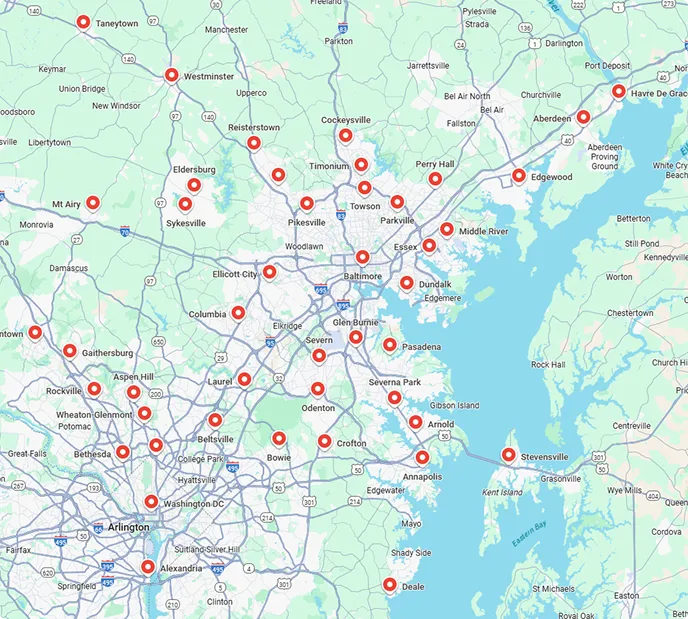
Service areas